
How to Redeem Fortress Merge Codes
Menus to check, platform differences, and a clean answer when the box is missing.
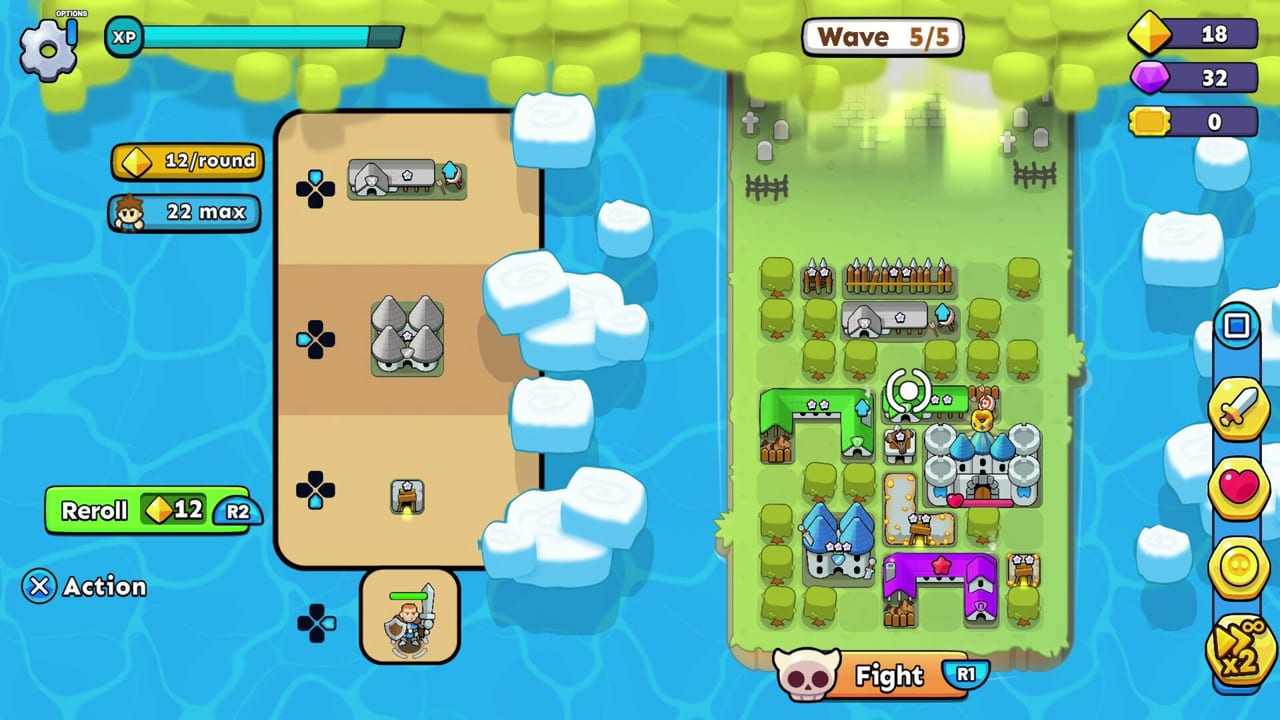
A redeem guide is only useful if it tells the truth about the HUD. Fortress Merge, as of the 4 September 2026 PC and console launch, does not show a public gift-code field in the same place every merge game does. This page exists so you stop hunting a box that is not there, and so you know exactly where to type a string if QubicGames adds one later.
Start from the codes hub for live status. Farm currency with free gems and gold. Come back here only when you have a string from an official QubicGames or TapNation post — not from a screenshot-less list.
What the current menus actually contain
On mobile, the front door is the campaign map, a shop, a hero panel, a village or skill tree, and the Fight button. On Steam, Xbox, and PlayStation the same systems are mapped to a controller: shop on the left of a fight, Fight on R1, skill pick with R2 reroll, and a pause/options gear. None of those panels currently labelled a “Enter code” row in launch coverage.
If you still want to double-check:
- Open Settings / Options (gear icon, top left in a fight).
- Open the Shop from the hub, then scroll every tab including packs and dailies.
- Open the profile or account page if the build offers a TapNation or Qubic link.
- On Steam, check the overlay and the in-game item store separately — those sell packs, not typed codes.
If none of those screens show a text field, there is nothing to redeem. Close the wiki tab that promised 10,000 gems and go play a level.
If a real code appears
Type it exactly, including capitals. Merge-game codes are usually case sensitive and one-use per account. Redeem before you start a fight so a crash does not eat the grant. Then spend the gems using the same rules as free rewards: skill rerolls on bosses, then gear for your main hero, never wave-1 shop spam.
Platforms may not share a code. A PlayStation store drop can stay on PlayStation. A mobile anniversary string can stay on iOS and Android. The console launch page notes that the September 2026 builds are free-to-play with optional packs such as the Claire DLC on Steam — those are purchases, not codes.
Account linking
Mobile patches have asked players to link an account to protect progress and pay a small reward. That is not a gift code. It is a bind. Do it before you switch phones. Steam Cloud and Xbox cloud saves cover the PC and Xbox side; PlayStation uses its own save. Linking does not move a mobile village onto Steam automatically.
What to do instead of waiting
Your first hour is still getting started, placement, and a building tier plan. Codes, if they ever land, are a bonus on top of a board that already holds wave 10. They will not fix a castle parked on the lane or a board with no walls.
If you came from other live-service titles, unlearn the weekly-string habit. This is a single-player QubicGames product. Official channels are the Steam news hub, QubicGames socials, and the in-game shop banners. A creator spreadsheet without a screenshot of a text field is not a source.
After you type a future string
Screenshot the success toast. If the reward is gems, do not open the shop reroll. Park them for a boss draft or a gear bag. If the reward is gold, it may only apply to the next fight — spend it on trees and a wall, not on a third banner. If the reward is a cosmetic, equip it and go back to the board; it will not hold wave 10.
If the string fails, you typed it wrong, it expired, or it was never real. Do not sit in the box tapping variants. Leave, run a level, and check this wiki later. We would rather list zero codes than ten dead ones.
Related pages
- Codes hub — live “none verified” status.
- Free gems and gold — the farm that actually pays.
- Controls — where shop, Fight, and options sit on each device.
- Updates hub — launch notes if a future patch adds a box.
Frequently Asked Questions
Quick answers to the most common questions.
I cannot find a code box. Is the game bugged?
No. Launch builds do not show a public redeem field. Check shop and settings once, then farm free rewards.
Do Steam item-store packs count as codes?
No. Those are paid DLC and gems. Codes would be a typed string in a text field.
Can I share one code across Steam and mobile?
Usually no. Treat each platform as its own wallet until an official post says otherwise.